To add conversational search to a website, index your content, link it to a retrieval-and-answer service using a hosted widget, SDK, or API, embed the interface, and test it in staging before launch. Google Cloud's Agent Search provides 10,000 free queries monthly, according to Google Cloud pricing from October 2026, while a custom MVP is projected to cost $8,000–$20,000, according to a May 2026 Social Animal analysis. Require cited sources and a fallback to standard results, and test questions your content cannot answer.
What do you need in place before adding conversational search to a website?
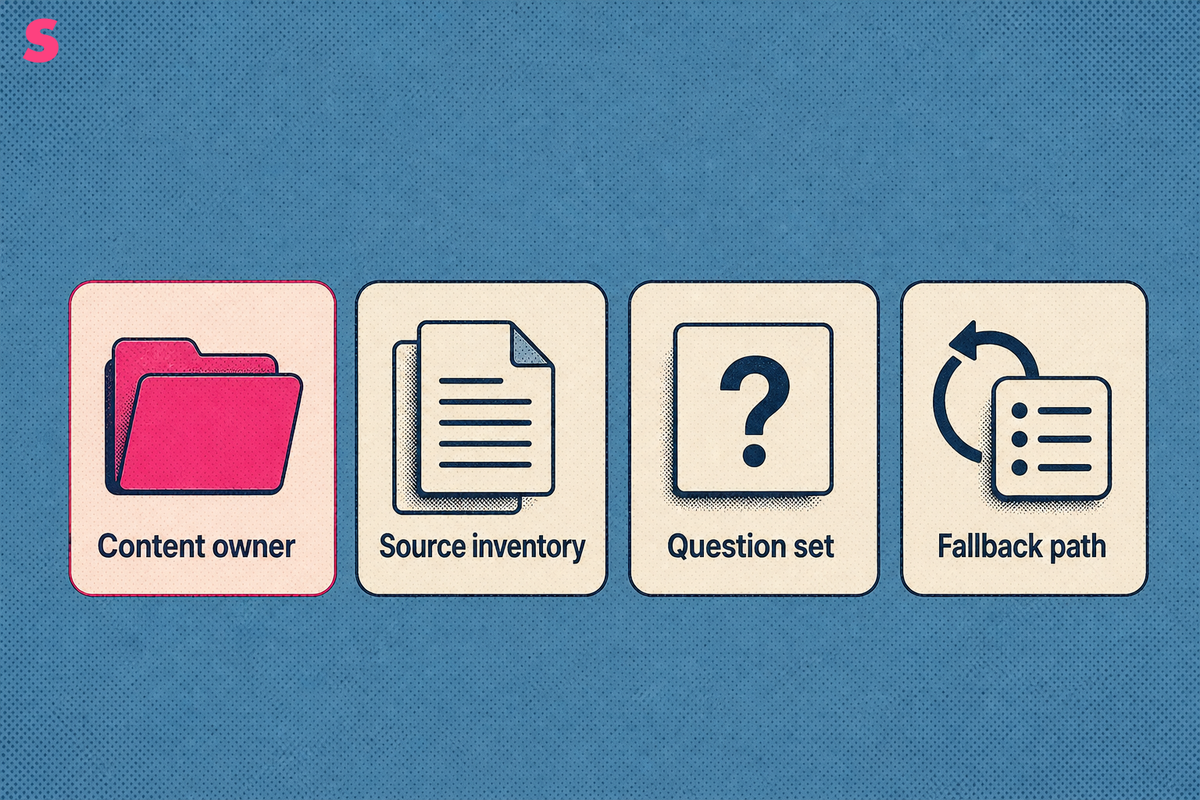
Before adding conversational search to a website, prepare a trustworthy content source, define the questions it should answer, and assign ownership for updates after launch. The system needs a crawlable, current set of pages that it can retrieve, segment, and cite.
Conversational search lets visitors ask natural-language questions and receive answers drawn from the website’s content instead of matching keywords to a results list. It can handle complex questions, intent, and follow-ups, but answer quality depends on the indexed material.
- Content owner: assign a team responsible for documentation, product pages, policies, and support content.
- Source inventory: list the domains, subdirectories, knowledge-base collections, PDFs, and authenticated areas that should be searchable.
- Question set: collect real visitor, sales, support, and site-search questions to use as an evaluation set.
- Fallback path: retain conventional search results and links to source pages when an answer is uncertain.
Technical readiness matters. Pages need accessible text, stable canonical tags, useful headings, and server-rendered HTML where possible. Establish a baseline technical review before content enters a conversational index, then use it to prioritize crawlability, structure, and content-quality work.
What are the steps to add conversational search to a website?
To add conversational search to a website, define the use case, prepare the content corpus, choose an implementation method, configure retrieval and citations, test difficult questions, then launch with monitoring. Begin after the website has an approved content inventory and a named owner for answer quality.
- Define the job. Specify whether visitors need product discovery, documentation help, support deflection, ecommerce guidance, or internal knowledge retrieval.
- Build the source inventory. Include authoritative pages and identify material that must stay outside the index.
- Clean and segment content. Remove duplicates, preserve headings, and split long documents into retrievable passages.
- Choose the delivery model. Select a hosted widget, SDK, API, or custom retrieval-augmented generation, or RAG, implementation.
- Configure answer rules. Require retrieved evidence, citations, refusal behavior, and a link back to conventional results.
- Test the prompt set. Check direct questions, follow-ups, ambiguous wording, unsupported requests, and adversarial inputs.
- Launch and monitor. Review unanswered searches, weak citations, source gaps, and changes in visitor behavior.
A four-stage implementation model, current in an October 2026 listing, groups the work into scoping, indexing and testing, configuration and refinement, and production launch. The sequence separates content decisions from interface work.
Keep a release prompt list and run the same list daily after launch. Daily testing reveals changes that a weekly snapshot can obscure. Retrieval indexes, model behavior, and newly published site content can change an answer from one day to the next.
Which website content should the search index, and what should it exclude?
A conversational website search should index content that is accurate, maintained, and appropriate for visitors to use as evidence. Exclude drafts, duplicate pages, expired offers, internal operations material, sensitive records, and pages that should never appear in a public answer.
Start with high-confidence sources: product documentation, help-center articles, pricing explanations, implementation guides, policy pages, comparison pages, and editorial content with clear ownership. Preserve page titles, headings, publication context, canonical URLs, and section boundaries so the system can return a specific citation rather than a broad page-level reference.
- Include: current support articles, product specifications, public policies, glossary pages, and approved case-study material.
- Exclude: staging environments, search-result pages, tag archives, duplicate translations, outdated campaigns, and employee-only resources.
- Review separately: PDFs, dynamically rendered pages, gated documents, user-generated content, and pages with conflicting claims.
Content prioritization should reflect business risk as well as traffic. A refund policy and a release note should not carry equal authority for a product eligibility question. Sona AI Search Insights provides page-level insights that can help teams identify crawlability, structure, and content-quality issues before those pages become source material.
Use one canonical answer source for each policy or product claim. When two indexed pages disagree, conversational search can retrieve both and produce a fluent answer with conflicting guidance.
Should you use a hosted widget, an SDK, an API or a custom RAG build?
Use a hosted widget when speed and low engineering effort matter, an SDK when the interface must match an existing application, an API when search belongs inside a controlled workflow, and a custom RAG build when retrieval, permissions, and answer behavior require bespoke control. The right method follows the website’s complexity, not a preference for building from scratch.
| Implementation method | Best fit | Technical work | Control level |
|---|---|---|---|
| Hosted widget | Marketing sites, help centers, and straightforward public content | Configure content sources, paste an embed snippet, and set answer rules | Configuration control over prompts, display, content priority, and placement |
| SDK | Web applications that need a branded search interface | Install a JavaScript SDK, add an HTML container, and trigger the interface from a button | Control over interface behavior and application integration |
| API | Custom workflows, authenticated content, and commerce journeys | Build retrieval, session handling, interface logic, and observability | High control over inputs, outputs, and business rules |
| Custom RAG build | Complex content permissions and specialized retrieval requirements | Create ingestion, chunking, retrieval, generation, evaluation, and monitoring components | Maximum control, with ongoing engineering ownership |
An SDK installation can require two core code elements: a JavaScript configuration and an HTML container for rendering the interface, based on a June 2026 installation guide. For a conversational-commerce implementation, Google requires both the Conversational API and the core Search API, per docs.cloud.google.com, June 2026.
A hosted widget is a practical starting point for a public site with stable content. Move to an API or custom RAG build when identity, entitlements, transaction data, or product configuration must shape every answer.
How does conversational search retrieve and generate an answer?
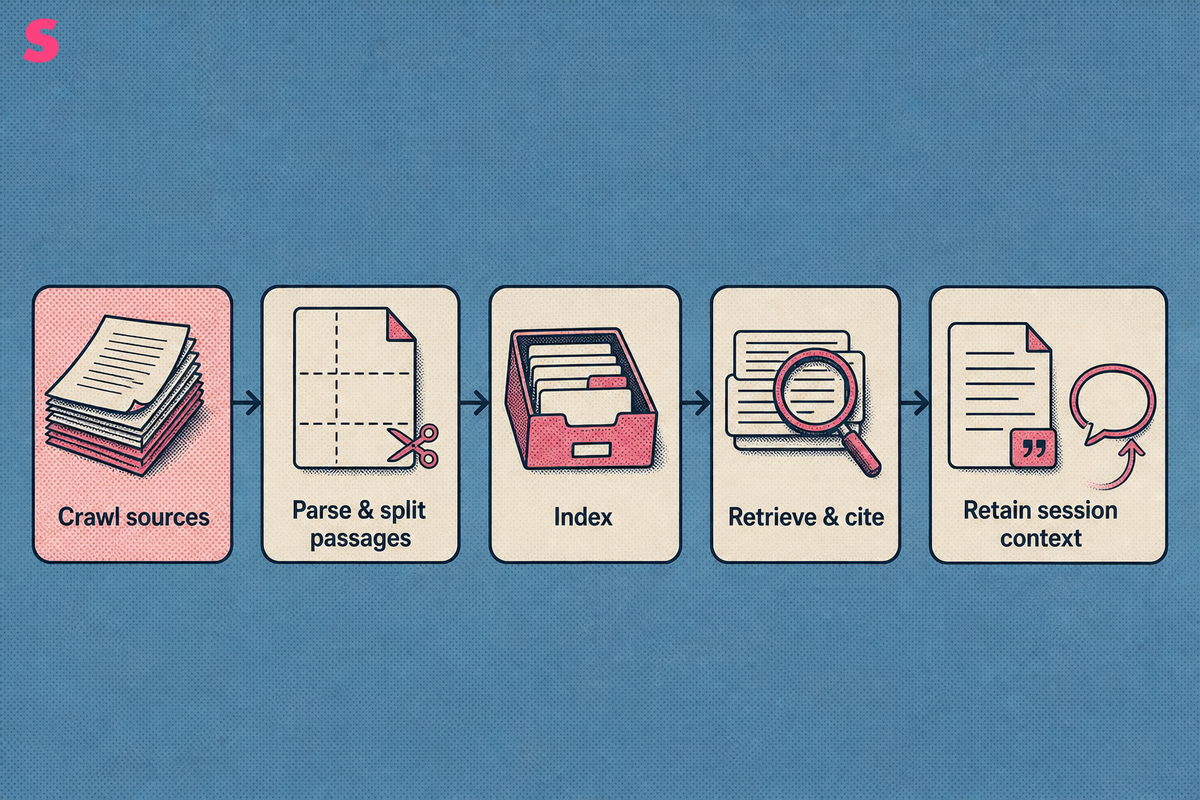
Conversational search crawls or connects to approved sources, parses and splits the content into passages, then indexes those passages for retrieval. When a visitor asks a question, the system interprets the query and conversation context, retrieves relevant passages, optionally reranks them, and generates an answer only from the selected evidence. It then attaches citations and retains session context for follow-up questions.
Embed conversational search by placing the provider’s script on the site, adding a dedicated HTML container, and connecting the interface to a visible search trigger. Configure each answer to use retrieved passages, show citations, retain session context, and return conventional results when the evidence is weak.
Place the entry point where visitors already look for help: the site header, documentation navigation, support center, or product catalog. Label the control with a direct action such as “Ask a question” or “Search documentation.” Avoid hiding the interface behind a generic icon without explanatory text.
- Follow-ups: pass prior turns into the session so a visitor can ask a clarifying question without repeating the subject.
- Citations: show the source page title and a path to the underlying document beside each answer.
- Answer boundaries: instruct the system to say it cannot verify an answer when retrieved passages do not support one.
- Fallback: provide source links and conventional results for visitors who prefer to inspect documents directly.
Set content priority deliberately. Official documentation should outrank blog content for product behavior. Current policy pages should outrank archived announcements. A configuration workflow can include prompt customization, content prioritization, display preferences, and UI placement, based on an October 2026 listing.
A citation should identify the passage that supports the answer, rather than sending visitors to a homepage or category archive.
How do you test a conversational search before launch, and what does success look like?
Test conversational search with a controlled set of real questions, follow-ups, unsupported requests, and misleading prompts before launch. Success means the system returns grounded answers with useful citations, asks for clarification when needed, refuses unsupported claims, and gives visitors a clear route to underlying documents.
Create an evaluation set from site-search logs, support tickets, sales-call notes, and documentation feedback. Group prompts by intent: factual questions, comparison questions, troubleshooting requests, policy questions, and questions the website cannot answer. Include follow-up sequences such as asking for a plan, then asking what is included, then asking for an exception.
- Check whether the answer addresses the question directly.
- Verify that every material claim is supported by a retrieved source.
- Confirm that citations lead to the relevant page or section.
- Test what happens when no source supports an answer.
- Record failures by source gap, retrieval error, citation error, or interface problem.
Do not judge quality from a single polished demo. Keep the same evaluation prompt list and run it daily after launch. Investigate sustained answer changes, especially when a change affects citations, refusal behavior, or a high-value visitor question.
Sona AI Visibility helps teams observe how pages perform in AI search through page-level insights, Agent Analytics, company-level visitor identification, and AI search attribution. That technical review is separate from the daily prompt list used to monitor answer behavior.
What should you do when the search gives wrong or invented answers?
When conversational search gives a wrong or invented answer, identify whether the source content, retrieval step, prompt rule, or interface caused the failure. Limit answers to retrieved evidence, correct the source, strengthen refusal behavior, and retest the failed question.
The common failure is an answer that sounds confident despite having no supporting passage. This happens when the system retrieves irrelevant material, indexes conflicting pages, or receives instructions that reward completion over evidence. A citation requirement exposes the problem because unsupported claims have no valid source.
- Missing source: publish or index the authoritative page, then rerun the failed prompt.
- Conflicting source: consolidate the guidance, update canonical content, and exclude obsolete pages.
- Weak retrieval: improve chunk boundaries, headings, metadata, and content priority rules.
- Unsupported question: configure a refusal that offers relevant documents or a contact route.
Maintain a failure log with the question, answer, cited passages, expected behavior, and corrective action. The log turns isolated complaints into a repeatable quality process and separates content gaps from engineering defects.
Keep conventional search after the conversational layer makes a mistake. Conventional results give visitors a verification route and let the team inspect which documents should have been retrieved.
How much does it cost to add conversational search to a website?
Conversational website search costs fall into four categories: recurring query fees, hosted subscription fees, initial build costs, and ongoing content or engineering work. Google Agent Search Standard Edition costs $1.50 per 1,000 queries, while Enterprise Edition with generative answers costs $4.00 per 1,000 queries, per cloud.google.com, October 2026.
Google Agent Search includes a free trial of 10,000 queries per account per month, per cloud.google.com, October 2026. A custom MVP semantic-search project is estimated at $8,000–$20,000, while a full conversational-search project with a custom UI is estimated at $20,000–$50,000, per socialanimal.dev, May 2026.
| Cost category | Example cost | What the cost covers | Planning consideration |
|---|---|---|---|
| Cloud query fees | $1.50 per 1,000 queries for Google Agent Search Standard Edition, or $4.00 per 1,000 queries for Enterprise Edition with generative answers | Search and answer queries | Model query volume separately from initial implementation work. |
| Free trial allowance | 10,000 queries per account per month | Google Agent Search trial usage | Use the trial to test retrieval quality, citations, and likely query volume. |
| Hosted subscription | AI Answers starts at $700 per month | Hosted conversational search service | Confirm what indexing, query volume, integrations, and content maintenance the subscription includes. |
| Semantic-search MVP | $8,000–$20,000 | Initial semantic-search implementation | Budget separately for source preparation, evaluation, and ongoing engineering ownership. |
| Full conversational-search build | $20,000–$50,000 | Custom conversational search with a custom UI | Account for permissions, retrieval design, session handling, monitoring, and future content changes. |
The hosted AI Answers price is from a 2026 pricing review, per europeanpurpose.com, October 2026. Query fees, hosted subscriptions, and build estimates do not include the ongoing cost of maintaining source content, evaluating answers, and updating the implementation.
Why is conversational search becoming important, and what are its benefits and limitations?
Conversational search is becoming important because visitors increasingly phrase questions in natural language, expect systems to interpret intent, and ask follow-up questions instead of refining keyword searches. It shifts website search from simple keyword matching toward context-aware answers drawn from approved content.
Its benefits include faster query resolution and improved visitor engagement when the system retrieves current evidence, understands follow-up context, and provides clear citations. Conversational search can also make complex documentation, product information, and policy content easier to navigate without requiring visitors to know the exact page title or keyword.
Its limitations are equally important. Answer quality depends on source quality, conflicting content can produce conflicting guidance, permission rules can restrict retrieval, generation can invent unsupported answers, and response latency or query fees can grow with use. Keep conventional search available as a fallback and verification path.
The same content discipline can help external answer engines interpret a website: use clear headings, direct answers, current claims, canonical pages, and accessible text. Google AI Overviews is one external environment where page-level clarity and retrievable source material matter, but on-site conversational search and Google AI Overviews operate as separate products with separate retrieval behavior.
Use separate operating rhythms. Run the prompt list daily to detect answer changes, conduct technical re-audits monthly or quarterly, and review broader positioning after enough evidence has accumulated. The output should be a log of changes and prioritized page fixes, not a single score treated as a final verdict.
Frequently Asked Questions
What is conversational search on a website?
Conversational search lets visitors ask questions in natural language and receive answers drawn from the site’s content. It handles follow-up questions and context instead of matching keywords to a list of links. Keep conventional results available so visitors can inspect the underlying documents.
Can I add conversational search to a website without coding?
Yes. Hosted tools can crawl a website, preview indexed content, and provide an embed snippet for the site. SDK, API, and custom implementations need developer work for the script, HTML container, authentication, session behavior, and integrations with product or customer data.
How long does it take to add conversational search to a website?
Implementation follows four stages: scoping, indexing and testing, configuration and refinement, and production launch, based on an October 2026 listing. Elapsed time varies with the content inventory, access controls, implementation method, and number of evaluation prompts requiring remediation.
How much does conversational website search cost?
Google Agent Search Standard Edition starts at $1.50 per 1,000 queries after a 10,000-query free monthly trial, per cloud.google.com, October 2026. Custom builds are estimated at $8,000–$50,000 depending on scope, per socialanimal.dev, May 2026.
How do I stop conversational search from making up answers?
Limit answers to retrieved passages, require citations, keep indexed pages current, and define refusal behavior for unsupported questions. Test questions that the content cannot answer before launch. When a failure occurs, identify whether the source, retrieval, prompt rule, or interface requires correction.
Does conversational search replace my existing site search?
No. Keep conventional results as a fallback and verification path for visitors who want to inspect source documents. Conversational search answers a question quickly, while conventional search exposes the full document set and helps visitors navigate beyond one answer.
Summarize this article with AI: ChatGPT · Claude · Perplexity · Google AI Mode
Last updated: October 2026