To view a website's llms.txt file, append /llms.txt to its root URL in a browser, or use curl on that address to read the Markdown directly. Its absence at the root does not establish that the site lacks one, since the proposal permits files in subpaths like /docs/llms.txt. The file is a developing convention rather than an official web standard. No evidence currently demonstrates that publishing one boosts AI search visibility.
How do you see the llms.txt file of a website?
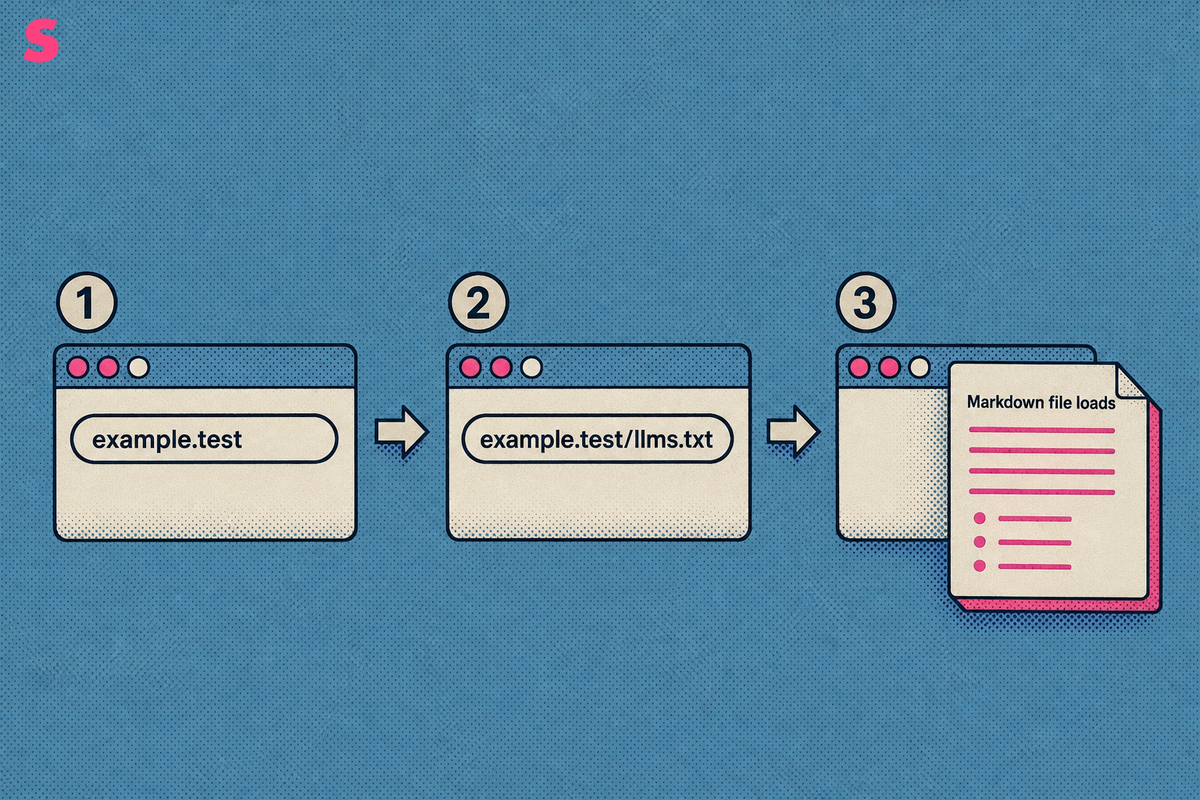
To see a website's llms.txt file, start with its root domain and add /llms.txt. No login or specialist tool is required for a public file.
- Start with the website’s root address, such as example.test.
- Append /llms.txt directly after the domain name.
- Press Enter and read the plain-text Markdown file that loads.
For example, use the pattern example.test/llms.txt. The root path is the simplest place to check, similar to robots.txt, although a site can publish an llms.txt file elsewhere.
If the file exists at that location, the browser displays text rather than a styled web page. A working file often begins with a Markdown heading containing the project or site name, followed by short descriptions and grouped links.
What does a working llms.txt file look like when it loads?
A working llms.txt file is a plain-text Markdown document designed to help AI agents and large language models use a website, per llmstxt.org. It generally starts with a project name, followed by an optional summary and grouped lists of useful resources.
llmstxt.org describes an ordered structure: a heading for the project, a short explanatory block where needed, then curated resource groups. The file should direct readers and agents to important pages rather than list every URL on a domain.
Illustration only, using a placeholder domain:
# Example Documentation
> Product documentation and implementation guidance.
## Getting Started
- [Installation](/docs/install): Initial setup instructions.
- [Configuration](/docs/configure): Configuration reference.
## Reference
- [API Guide](/docs/api): API endpoints and examples.
A useful llms.txt file contains curated links, short descriptions, and current material. To create one, make a Markdown-formatted plain-text file named llms.txt, add the project heading and summary, organize selected resources into labeled groups with descriptions, then publish it at the root path. Validate the URL or pasted file content with llmstxtchecker.net, then confirm public access with curl. Generators and CMS plugins can create a starting file, including llms.txt and llms-full.txt, but teams should review the output before publication.
The Sona llms.txt Generator is one option for creating a file. The Free AI Readiness Checker answers a different question: whether AI engines can technically crawl and parse a site, rather than whether a site appears in AI answers.
How do you find a site's llms.txt through page source and discovery links?
To find a site's llms.txt file through discovery links, open page source or browser developer tools and search the HTML <head> for link relations. A matching rel="describedby" link can reveal the applicable file location when the file is not stored at the root path.
- Open the website page you want to inspect.
- Use view-source or browser developer tools to inspect the page HTML.
- Search for describedby, alternate, or llms.txt.
- Open the file path in the matching href attribute.
The llms.txt proposal recommends rel="describedby" for the applicable llms.txt file and rel="alternate" type="text/markdown" for a Markdown representation of the current page, per llmstxt.org, 2024-09-03. Use describedby to discover llms.txt. Use the Markdown alternate only when you need the current page in Markdown.
Use the Network tab after opening the discovered file. Confirm that the request returns a successful status code and a text-based content type. A plain-text Markdown file needs no JavaScript rendering, so browsers, crawlers, and command-line clients can read it directly.
How do you read llms.txt from the command line with curl or wget?
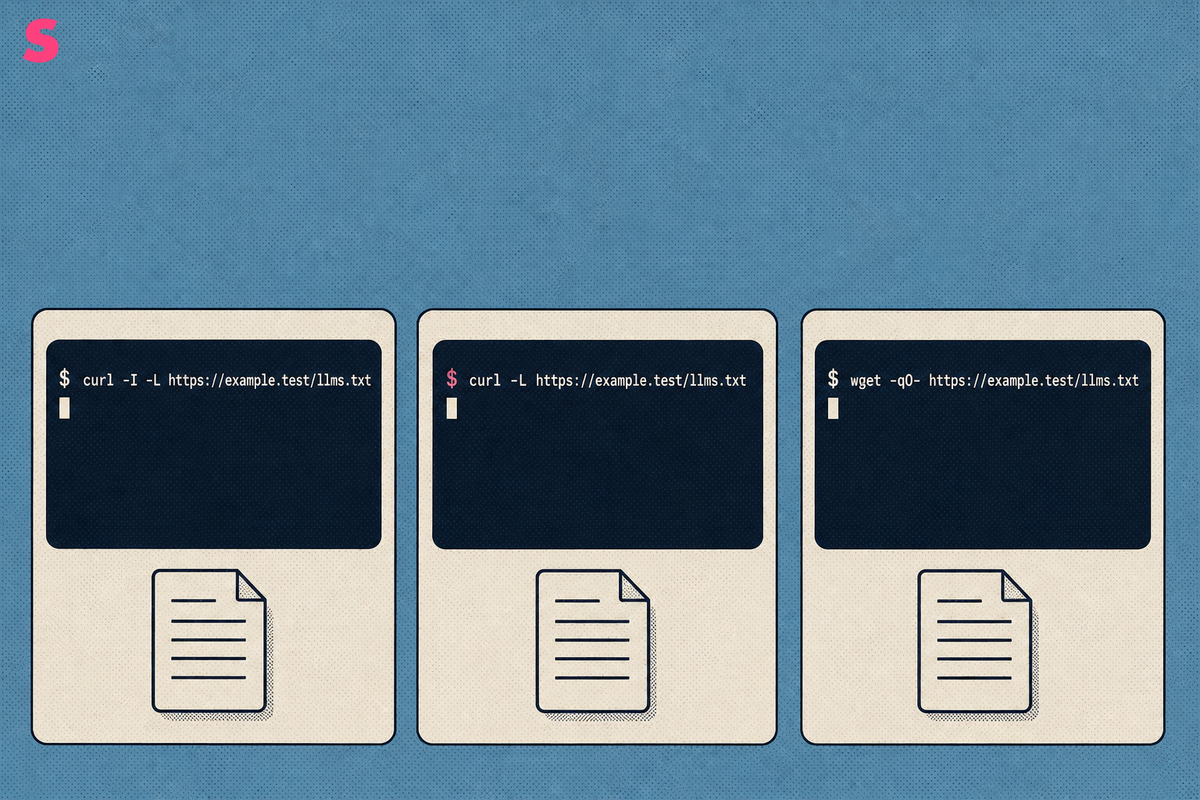
A browser is not the only way to inspect llms.txt. Use curl to check headers and print the Markdown body, or use wget in scripts that already use that utility.
- Check the final status line and headers with curl.
curl -I -L https://example.test/llms.txt
The curl -I -L pattern checks whether an llms.txt file is publicly accessible, per gitbook.com. After redirects, evaluate the final status, content type, and HTTPS response.
- Request the body while following redirects.
curl -L https://example.test/llms.txt
A successful body request prints the final Markdown content in the terminal. The output should resemble a project heading, summary, or grouped resource list rather than an HTML error page.
- Use wget when you want an equivalent retrieval command.
wget -qO- https://example.test/llms.txt
Command-line retrieval supports repeatable checks across several domains. A redirect is acceptable when the final response resolves to an accessible text document over HTTPS.
Which method should you use for a quick check, a header check or a script?
Use the browser address bar for a quick check, page source for discovery, curl -I -L for headers, and curl or wget for scripted retrieval. Each method answers a different question about the same llms.txt file.
| Method | Best for | What it shows | What a good result looks like |
|---|---|---|---|
| Browser address bar | Quick check | The rendered plain-text file at /llms.txt | Markdown with a project heading and grouped links |
| View-source or developer tools | Discovery | Link relations in the HTML head | A describedby link to llms.txt, or an alternate link to a Markdown page representation |
| curl -I -L | Header check | Final status code, content type, HTTPS response, and redirects | A final 200 response and a text-based content type |
| curl body or wget | Scripted retrieval | The Markdown body returned by the final server response | Readable text content rather than an error document |
The browser method is sufficient when you only need to read a file. Command-line checks create a clearer record of response headers and can run repeatedly in scripts.
Does a 404 at /llms.txt mean a website has no llms.txt file?
No. A 404 response at /llms.txt means no file was found at that root-path location. It does not prove that the website lacks an llms.txt file or that the site is not AI-readable.
The llms.txt proposal permits subpath files such as /docs/llms.txt. A site can also use the rel="describedby" relation to point visitors and agents to the applicable file, per llmstxt.org, 2024-09-03.
- Check likely subpaths, especially documentation sections.
- Inspect page source for rel="describedby".
- Look for Markdown alternates in the HTML head.
- Open the linked file path directly in a browser or terminal.
These checks identify alternate file locations. A missing root file does not establish whether a file exists elsewhere, whether its content is useful, or whether an AI agent requests it.
How is llms.txt different from llms-full.txt, robots.txt, sitemaps and Markdown alternates?
llms.txt is a curated Markdown guide for AI agents and LLMs, while robots.txt controls crawler access and XML sitemaps list URLs. Open /llms.txt first when you need to inspect the site's AI-facing resource guide.
| File type or standard | Typical location | Format | Purpose |
|---|---|---|---|
| llms.txt | /llms.txt or an announced subpath | Markdown | Curated guide to useful site resources for AI agents and LLMs |
| llms-full.txt | /llms-full.txt or a related location | Markdown or fuller text content | Companion file containing more complete page material |
| Markdown page alternates | Linked from a page head | Markdown | Alternative Markdown representation of a specific page |
| robots.txt | /robots.txt | Plain text directives | Crawl rules for bots |
| XML sitemap | Commonly in a root-path sitemap file | XML | URL inventory for search engines |
Some generators produce both llms.txt and llms-full.txt. The shorter file serves as an index of selected resources, while the companion file can contain expanded material. llms.txt remains a proposal and convention rather than a universally adopted web protocol.
How common is llms.txt, and why do adoption studies disagree?
llms.txt adoption remains uneven because studies measure different populations and use different methods. Jeremy Howard and the Answer.ai team introduced the proposal in September 2024, and reported adoption rates vary across top-site samples, reachable-site samples, and server-log datasets.
A June 2026 tracking study found llms.txt files on 8.7% of the top 1,000 global sites. The same June 2026 analysis found files on 15.8% of approximately 549 reachable, testable sites.
A May 2026 server-log study examined 137,210 domains and found valid files on 28% of domains, or approximately 38,360 sites. A separate survey measured 0.015% adoption among top-million domains in January 2025, then 10.13% in early 2026, representing approximately 700 times the January 2025 rate.
Those figures should not be averaged. Top-site samples, reachable-site samples, and server-log datasets answer different questions. Any adoption percentage needs its population and date.
Does publishing an llms.txt file improve AI citations, and how can you check whether crawlers request it?
Publishing an llms.txt file does not guarantee AI citations. Available evidence does not establish that the file improves visibility in AI answers.
A May 2026 server-log analysis found that 97% of published llms.txt files received zero requests during its measurement period. The result does not establish that the files have no value, but publication alone does not demonstrate crawler use or citation impact.
Sona AI Visibility connects prompts and citations in AI answers to pipeline and revenue, and Agent Analytics tracks AI crawler and agent activity from server logs or a lightweight edge worker without a JavaScript tag. That evidence can show whether crawlers request an llms.txt file rather than treating publication as proof of use.
Site Pages is an AI Visibility feature that gives each audited page a score out of 100 across six categories. It identifies critical or medium findings with a fix attached to each, then re-runs watched pages so teams can verify whether a fix landed.
Use a consistent prompt list for citation monitoring and periodic technical re-audits for crawlability checks. A crawlability check is useful when the question is whether named AI crawlers can reach a page.
What are the frequently asked questions?
What is the URL of a website's llms.txt file?
The normal location is the site’s root address followed by /llms.txt, similar to robots.txt. A website can also publish a subpath file such as /docs/llms.txt, especially when documentation is maintained separately.
Can I view the llms.txt file of a website I do not own?
Yes. An llms.txt file is public plain text, so a browser, curl, or wget can read it without a login. A site that does not publish a file at the requested location returns a not-found response or another HTTP status.
Is llms.txt an official web standard?
No. llms.txt is an emerging proposal and convention rather than a universally adopted protocol. Jeremy Howard and the Answer.ai team introduced the proposal in September 2024, and llmstxt.org describes its intended structure and discovery relations.
What is the difference between llms.txt and llms-full.txt?
llms.txt is a curated Markdown index of links with short descriptions. llms-full.txt is a companion file that carries fuller page content. Some generators create both files, allowing a site to provide a concise guide and a more detailed text resource.
Is llms.txt the same as robots.txt or a sitemap?
No. robots.txt sets crawl rules, and an XML sitemap lists URLs for search engines. llms.txt is a Markdown guide that helps AI agents and LLMs use selected website resources.
Does a website need an llms.txt file to appear in Google AI Overviews?
No study establishes that publishing llms.txt improves appearance in Google AI Overviews. A May 2026 server-log analysis found that 97% of published llms.txt files received zero requests during its measurement period. Measure crawler requests, citations, and business outcomes separately.
Summarize this article with AI: ChatGPT · Claude · Perplexity · Google AI Mode
Last updated: October 2026