Google AI Mode is a conversational search tool within Google Search, powered by Gemini, that responds to questions with written, cited answers rather than ranked link lists. Unlike Google AI Overviews, which appear within standard results, it allows follow-up questions and multimodal input. Availability and rollout differ by country, language and account, while independent traffic estimates rely on incompatible definitions, so usage figures should be treated cautiously. For B2B teams, Sona AI Visibility connects the prompts and citations driving that exposure to pipeline and revenue.
What is Google AI Mode and what problem does it solve?
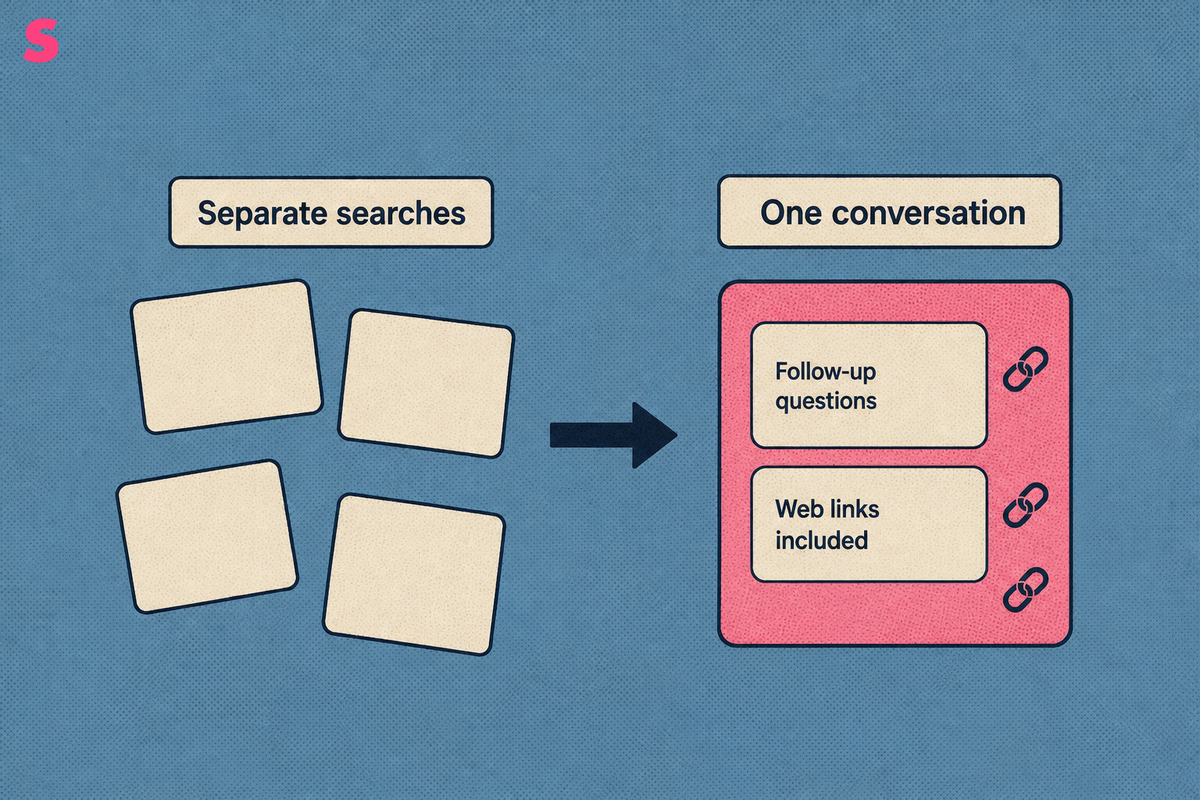
Google AI Mode is a conversational feature in Google Search, powered by Gemini, that generates a comprehensive AI response rather than only a ranked list of links. It handles questions that require synthesis, comparison, and follow-up research.
For someone evaluating software, AI Mode can replace several separate searches with one research session. A marketing leader could ask about account-based marketing platforms, implementation considerations, pricing models, and reporting requirements in one conversation rather than assembling fragments from separate result pages.
Google AI Mode supports follow-up questions and includes web links within the conversation, per Google Support. Users can refine the original question without starting a new search.
Google AI Mode does not eliminate the need to inspect source pages, validate primary documentation, or compare vendor claims when a buying decision depends on implementation details, commercial terms, or technical constraints.
How does Google AI Mode work behind the answer?
Google AI Mode breaks a complex request into related searches, combines findings, and presents a cited response. In practical terms, it expands the original request into subqueries, runs related searches in parallel, retrieves relevant web and live-data material, and grounds a synthesized answer in those results.
For a B2B SaaS software-evaluation question, the related searches can cover requirements such as identity resolution, CRM integration, attribution reporting, and vendor positioning. Google AI Mode then synthesizes the retrieved material into one response and attaches web links or citations associated with relevant claims.
A displayed citation is not proof that every nearby statement has direct support. Readers should open the cited page and check whether it supports the specific claim, qualification, date, and commercial detail in the answer.
Google said Gemini 3.5 Flash became the default model for AI Mode users globally, per Google Blog, 2026-05-19. AI Mode can also process text, voice, images, and video simultaneously with Gemini 3, expanding research input beyond typed queries.
Google AI Mode can use live signals such as stock prices and Shopping Graph data. That capability helps with questions involving current commercial information, although users should open the cited source when details affect a decision.
Sona AI Visibility connects prompts and citations to pipeline and revenue while tracking AI crawler activity that precedes an AI-referred visit. The relevant question for a marketing team is not only what an answer says, but whether it produces measurable commercial activity.
How is Google AI Mode different from traditional Google Search, Google AI Overviews and the Gemini app?
Google AI Mode is a dedicated conversational search surface within Google Search. Traditional Google Search centers on ranked results, Google AI Overviews appear within conventional results, and the Gemini app serves a different purpose outside the standard Google Search experience.
Google AI Mode is not a renamed Google AI Overviews feature. Google AI Overviews can appear alongside conventional search results. Google AI Mode supports a deeper conversational flow, allowing users to ask follow-up questions and continue research within the same Google Search experience.
| Surface | Primary output | Follow-up questions | Where it lives | Inputs and live context |
|---|---|---|---|---|
| Traditional Google Search | Ranked links and search-result features | New searches begin separate result journeys | Google Search | Search query and conventional result-page context |
| Google AI Overviews | AI-generated overview within conventional results | Search-result interaction | Google Search results page | Changes what users see in search results |
| Google AI Mode | Comprehensive conversational AI response with web links | Yes, per Google Support | Google Search | Text, voice, photos, uploaded images, and live signals such as stock prices |
| Gemini app | Gemini conversational assistance | Conversational interaction | Separate Gemini product experience | Gemini-focused interaction rather than the Google Search surface |
Google AI Mode is more than an AI answer inserted above links. It is a Google Search interface for multi-step research. Conventional results remain useful for broad source discovery, direct navigation, and control over which pages to inspect first.
How do you open Google AI Mode and what can you ask it?
Google AI Mode can be opened through Google’s AI Mode address, by entering a question in the Google Search bar and selecting AI Mode, or by selecting AI Mode from the Google app home screen, per Google Support. The supplied Google Support guidance lists those entry points and does not describe a separate enablement step. Access can vary by account, device, language, and rollout status.
Google AI Mode accepts typed questions, voice commands, photos, and uploaded images, per Google Search. That flexibility supports tasks such as asking about a product screenshot, comparing information from a photographed document, or turning a spoken research question into a cited answer.
Google described Chrome support for combining multiple tabs, images, and files as search context, per Google Blog, 2026-04-16. A PDF can be supplied as file context where the Chrome file-selection interface accepts that file type. The supplied evidence does not establish a separate PDF-specific workflow or confirm that a URL can be pasted as AI Mode context, so users should verify those interface options in their current Google account.
Google also said AI Mode custom file creation supports documents, slide presentations, spreadsheets, and text files, per Google Blog, 2026-08-19. File creation is separate from supplying files as research context.
Useful prompts are specific and decision-oriented. Ask for criteria, tradeoffs, source links, and unresolved assumptions. For example, a B2B team can ask which implementation questions to validate before selecting an attribution platform, then use follow-ups to examine each requirement.
Where is Google AI Mode available and why does what users see differ?
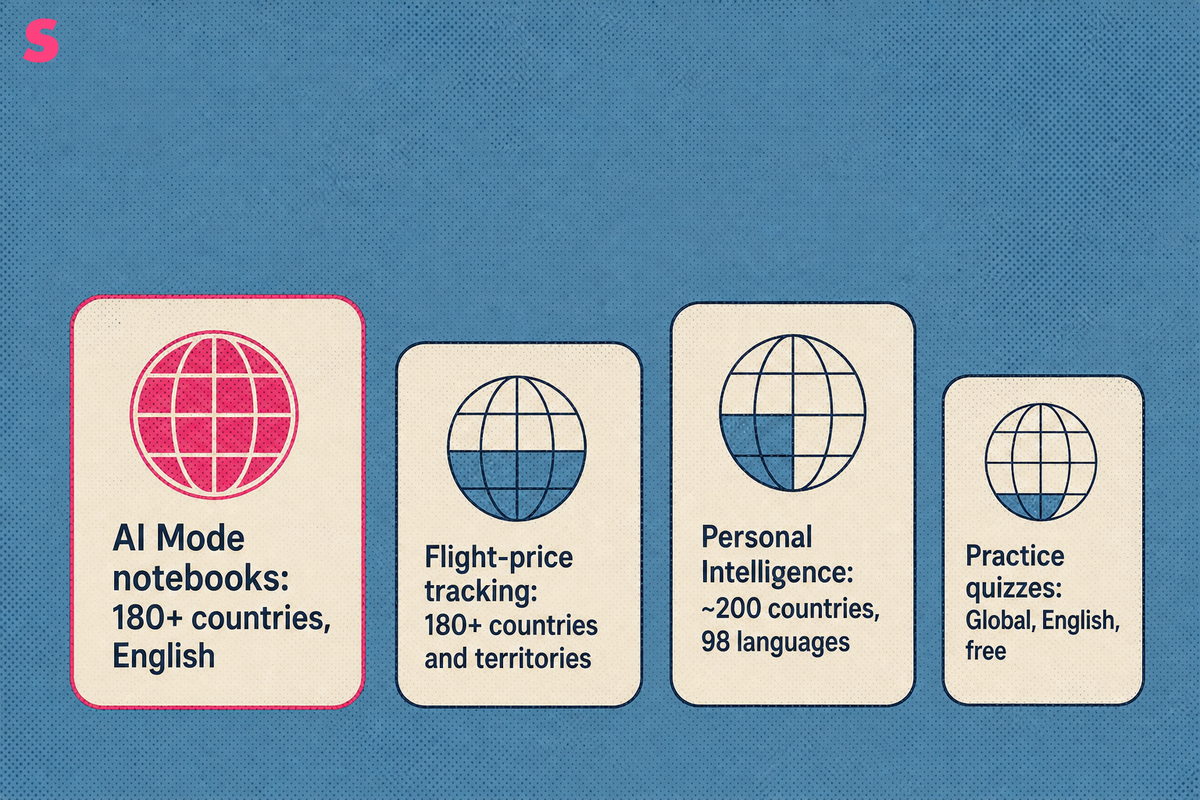
The supplied evidence does not establish a complete region-by-language availability matrix for core Google AI Mode. It does establish that several optional AI Mode features have broader but separate rollout announcements, so feature-specific availability should not be treated as base-product availability.
Google said AI Mode notebooks were rolling out across more than 180 countries in English, per Google Blog, 2026-08-19. Google also said flight-price tracking was available in more than 180 countries and territories, per Google Blog, 2026-08-27.
Google described Personal Intelligence in AI Mode as expanding across nearly 200 countries and territories and 98 languages without requiring a subscription, per Google Blog, 2026-05-20. Google also said AI Mode practice quizzes were available globally in English at no charge, per Google Blog, 2026-08-19.
Users should verify the specific feature, language, device, and account context. Current limitations include staged feature access, interface variation between accounts and devices, possible answer errors, and the need to check whether cited pages directly support the claims beside them.
How accurate is Google AI Mode compared with traditional search?
No recorded hands-on comparison results for Google AI Mode and traditional Google Search were supplied for publication. As a result, this article cannot report factual-accuracy rates, unsupported-claim rates, citation-support success, omission rates, or representative failures for either surface.
A valid comparison requires the same query set in both surfaces, a stated test date, location, account conditions, exact query wording, and scoring rules. Score a factual claim as accurate only when it matches a verified primary source. Score a citation as supportive only when the cited page directly supports the adjacent claim. Record omissions separately when an answer excludes a material condition.
A practical test set can include a current stock-price question, a multi-part software comparison, a local business-hours question, a recent-news question, and a technical documentation question. The results table should report correct claims, unsupported or hallucinated claims, supportive citations, omissions, and representative failures for each surface.
Until that documented test exists, readers should evaluate Google AI Mode answer by answer. Traditional Google Search also requires source evaluation, but it gives the reader direct control over which pages to inspect before accepting a claim.
Sona AI Visibility can support ongoing observation by tracking prompts and citations across AI answers. A team that runs the same prompt list daily can identify patterns that a weekly snapshot would average away, because a change that holds four days carries more weight than a one-day spike.
When is Google AI Mode the better tool and when is traditional search better?
Google AI Mode is a strong starting point for multi-part research and synthesized comparisons. Traditional Google Search is better when the reader needs to inspect source pages directly, verify precise local information, or investigate a fast-moving event through primary reporting.
| Research condition | Recommended surface | Reason | Operating habit |
|---|---|---|---|
| Multi-part software comparison | Google AI Mode | It can combine related searches into a cited response | Open the cited vendor and documentation pages before deciding |
| Travel comparison | Google AI Mode | Google said its travel-search experience can compare options from more than 300 partner airlines and travel sites, per Google Blog, 2026-08-27 | Confirm final price, availability, and booking conditions on the provider page |
| Highly specific local information | Traditional Google Search | Direct result pages make source inspection faster | Check the business’s own current listing |
| Fast-moving news or policy changes | Traditional Google Search | Primary reporting and timestamps need direct review | Read the cited page rather than relying on a summary |
| Repeated brand and citation monitoring | Sona AI Visibility | It connects citations and AI-referred activity to pipeline and revenue | Run the prompt list daily and review the commercial story quarterly |
These are operational judgments, not claims that one surface is universally more reliable. Google AI Mode helps frame a research task. Traditional search remains essential when the cited source is the evidence that matters.
What does Google AI Mode mean for B2B SaaS discovery, citations and referral traffic?
Google AI Mode lets B2B SaaS buyers research, compare, and shortlist products within a cited conversational answer before visiting a vendor website. Discovery becomes a research session where citations, source pages, and follow-up questions shape vendor consideration.
AI answers do not automatically reduce SaaS traffic. Google AI Mode shows web links and citations, which can expose a brand to researchers who would not have found it through a conventional result page. The commercial effect requires measurement.
A third-party analysis dated October 2026 reported that AI Mode represented 0.13% of U.S. search-related visits in Q2 2026. A separate Similarweb-based measurement, also reported in October 2026, put visits at 126 million in June 2025 and 279 million in May 2026. The definitions differ, so the figures are not directly comparable.
For AEO, GEO, and SEO work, map the conversational buyer questions that arise before a purchase. Publish answer-first pages that explain comparison criteria, implementation requirements, pricing assumptions, and technical constraints. Make material claims easy to cite by placing direct support, definitions, and relevant source detail close to each claim.
Monitor which prompts and pages earn citations, measure AI-referred visits, and update pages where citation or conversion gaps appear. A prompt-level view identifies the questions and source pages behind a visibility score, giving a team specific evidence to investigate.
Sona AI Visibility connects the prompts and citations behind AI answers to pipeline and revenue, and tracks AI crawler and agent activity as the front of that same path. Sona AI Visibility applies AI Attribution to connect AI citations to accounts, pipeline, and closed-won revenue on one account timeline.
What do “AI mode” and “Meet AI Mode” mean, and are they Google AI Mode?
Google AI Mode is the Google Search feature powered by Gemini that produces conversational, cited responses within Google Search. The phrase “AI mode” is also generic language for unrelated product features, so the phrase alone does not identify the Google Search product.
“Meet AI Mode” is an ambiguous search phrase. It can refer to Google’s introductory wording for AI Mode in Google Search, or to another product, page, or feature using similar language.
To identify the Google Search product, check whether the feature lives within Google Search, runs on Gemini, and is labeled AI Mode by Google. Those identifiers are more reliable than a broad phrase in a search result or marketing headline.
For a work-related research task, verify the product context before relying on instructions, availability claims, or measurement guidance. Google AI Mode has specific Google Search access methods and follow-up behavior that should not be assumed for another product using a similar name.
What are the frequently asked questions about Google AI Mode?
Is Google AI Mode the same as Google AI Overviews?
No. Google AI Overviews appear within conventional search results, while Google AI Mode is a separate conversational surface inside Google Search built around follow-up questions. Google AI Mode also includes web links within the conversation, per Google Support.
What model powers Google AI Mode?
Google said Gemini 3.5 Flash became the default model for AI Mode users globally, per Google Blog, 2026-05-19. Model defaults can change, so readers should check Google’s current announcements before treating that configuration as permanent.
How do you get to Google AI Mode?
Per Google Support, open Google’s AI Mode address, enter a question in the Google Search bar and select AI Mode, or select AI Mode from the Google app home screen. The exact interface can vary by device, account, and rollout status.
Can Google AI Mode take images and voice as well as text?
Yes. Users can type, speak, snap a photo, or upload an image, per Google Search. Google also described Chrome support for using multiple tabs, images, and files as AI Mode context, per Google Blog, 2026-04-16.
Does Google AI Mode send traffic to websites?
Google AI Mode shows web links and citations within answers, so it can send users to websites. The net traffic effect requires measurement. Two third-party estimates reported in October 2026 use different definitions and cannot be compared directly.
What does “Meet AI Mode” refer to?
The phrase is ambiguous. It can refer to Google’s introductory wording for AI Mode in Google Search, but it can also refer to another product or page. Confirm that the result describes a Google Search feature powered by Gemini before treating it as Google AI Mode.
Summarize this article with AI: ChatGPT · Claude · Perplexity · Google AI Mode
Last updated: October 2026