For tracking Perplexity referrals in GA4, create a custom channel group that identifies perplexity.ai as the source and ranks above Referral and Direct. Check it against raw events, since some Perplexity visits have no referrer and are classified as Direct. Assess the channel by engaged sessions and conversions, not session count, because volume is often modest. Sona AI Visibility links prompts and citations to pipeline and revenue beyond the session.
What do you need in place before you track Perplexity referrals in GA4?
A Perplexity referral is a visit that begins when a user clicks a citation or source link in a Perplexity answer. Isolating those visits lets you compare landing pages, engagement and conversions against other acquisition channels instead of leaving them inside broad Referral or Direct buckets.
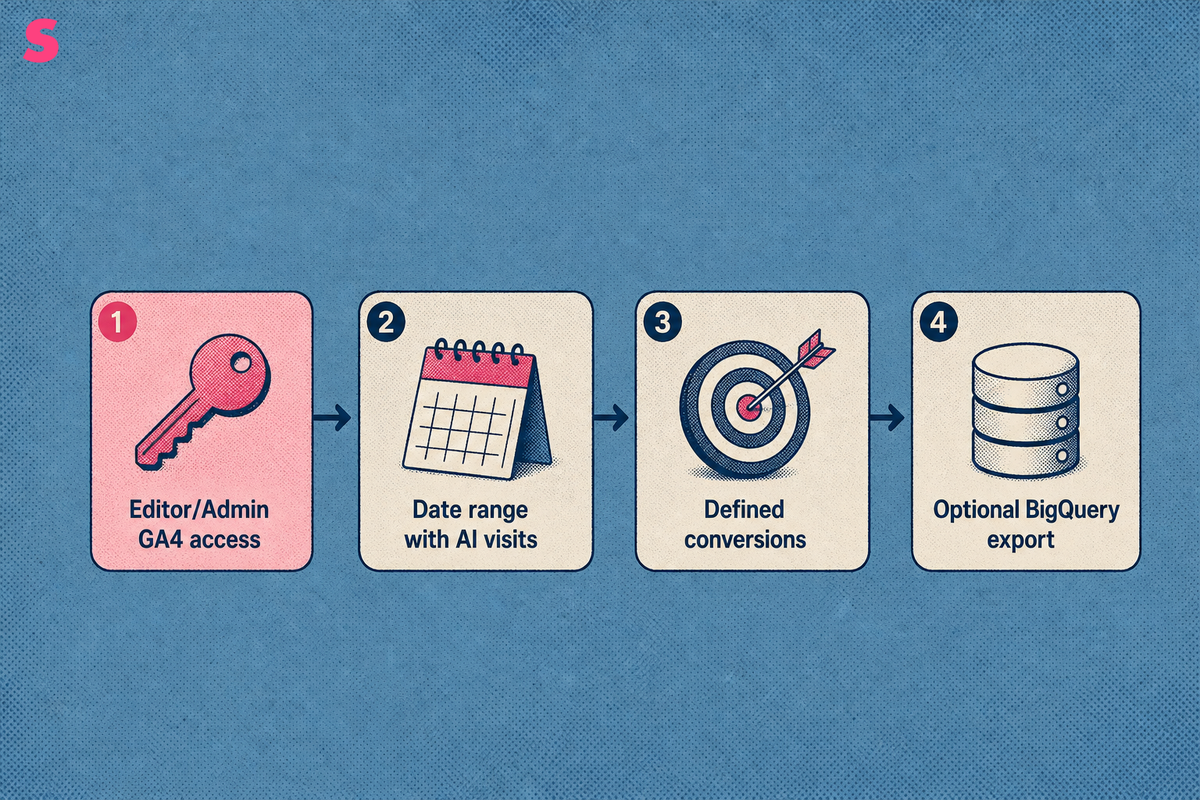
Before tracking Perplexity referrals, confirm that you have Editor or Administrator access to the GA4 property and access to Explore. Choose a date range that includes AI-driven visits. If your team needs event-level validation beyond the GA4 interface, link the property to BigQuery before beginning.
- GA4 access with permission to view reports and create channel groups.
- A date range that includes recent referral and Direct sessions.
- Defined conversions for meaningful actions, such as signup or demo request.
- An optional BigQuery export for event-level reconciliation.
Start with observed data. Check the source values GA4 recorded for your site before creating a rule from an assumed domain pattern.
How do you find Perplexity visits in GA4's Traffic acquisition and Explore reports?
Use GA4 Traffic acquisition to find recorded Perplexity referrals, then use Explore for landing-page and engagement detail. A successful result is a set of perplexity.ai rows with a referral medium and a plausible list of pages that visitors entered after clicking cited sources.
- Open Reports, then Acquisition, then Traffic acquisition.
- Find the Referral channel in the table.
- Change the primary dimension to Session source / medium.
- Search or filter for perplexity.
- Record the exact source and medium values that GA4 returns.
- Open Explore and create a free-form exploration using Session source / medium and Landing page as dimensions.
- Add sessions, engaged sessions, conversions and average session duration as metrics.
Perplexity can pass a referrer through the browser and app path, making click-through visits easier to locate in GA4 when that referrer reaches your site. The January 2026 GA4 Explore setup guidance places sessions, engaged sessions and conversions beside average session duration.
Sona AI Visibility can complement GA4 reporting by connecting AI citations and AI-referred visits to pipeline and revenue. GA4 remains the starting point for observed referral sessions, while attribution data clarifies what happened after the visit.
Which source, medium and referrer values identify Perplexity, and what regex captures them?
Perplexity visits are identified through Session source, Session medium, Page referrer and Landing page. Capture the values your GA4 property observed before writing a regex, because source formatting can differ across browsers, apps and reporting dimensions.
The useful values are straightforward:
- Session source: the referring domain, such as perplexity.ai.
- Session medium: the acquisition classification, often referral.
- Page referrer: the URL or domain passed to the landing page.
- Landing page: the first page viewed during the session.
A six-domain AI-referral regex example from July 2026 is (chatgpt.com|chat.openai.com|perplexity.ai|copilot.microsoft.com|claude.ai|gemini.google.com). To isolate Perplexity alone, use perplexity\.ai as the source-matches-regex condition.
A regex does not prove that every visit came from Perplexity. It matches only values GA4 received and cannot recover a referral when a browser, app or intermediary stripped the referrer before the session reached your site.
How do you build a custom GA4 channel group that places Perplexity above Referral?
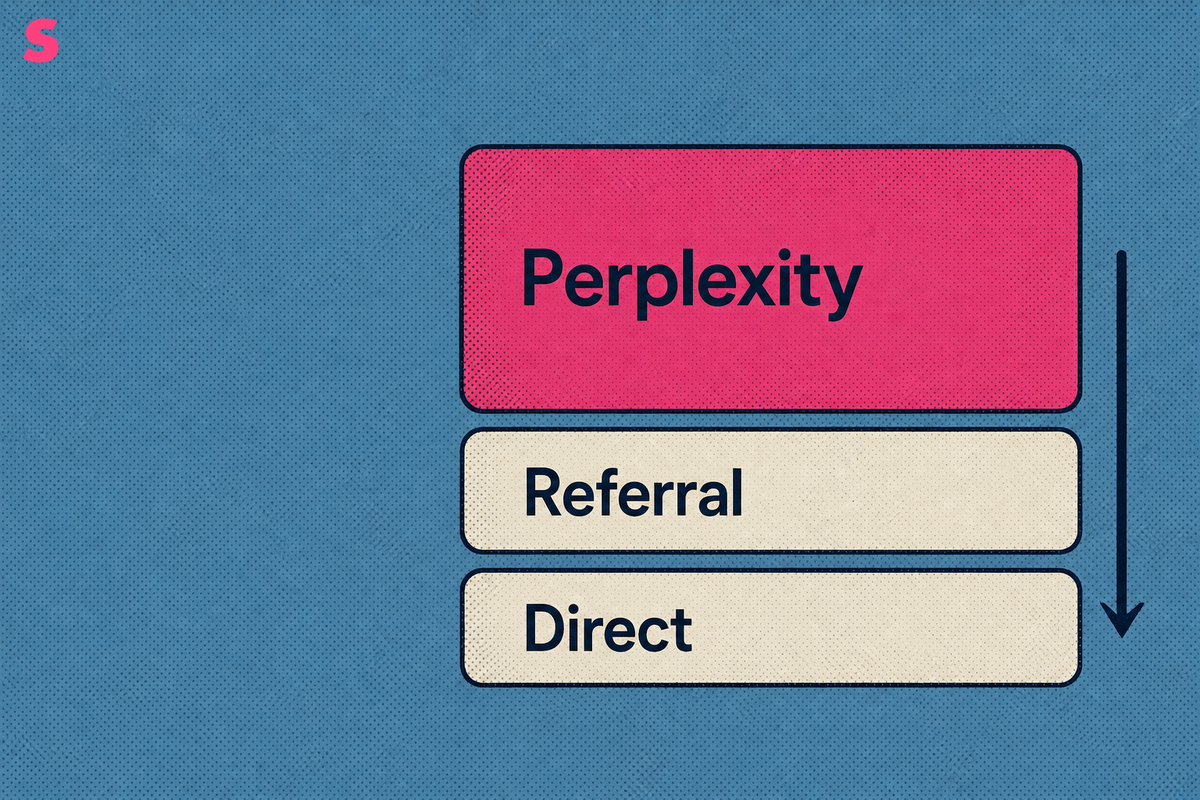
Create a custom GA4 channel group with a Perplexity rule above the default Referral channel. GA4 assigns a session to the first matching rule, so channel order isolates identifiable Perplexity sources from the broader Referral bucket. It cannot reclassify genuinely unattributed Direct sessions because GA4 received no Perplexity source or referrer for those visits. Direct cohorts require comparison or external validation.
- Open Admin in the correct GA4 property.
- Select Channel groups and create a custom channel group.
- Add a channel called Perplexity or AI assistants.
- Set the condition to Session source matches regex, then enter perplexity\.ai.
- Move the channel above the default Referral channel.
- Save the channel group and use it in Traffic acquisition or Explore.
A separate Perplexity channel distinguishes Perplexity from other AI assistant traffic. If the business needs engine-level reporting, define separate channels for each observed source rather than placing every assistant inside one combined rule.
GA4 can record Perplexity visits automatically when a referrer arrives intact. A dedicated custom channel group applies the same source rule across reports instead of relying on broad default classifications.
Why do some Perplexity visits show as Referral while others land in Direct?
Perplexity visits appear as Referral when GA4 receives a usable referrer. The same type of visit can appear as Direct when a browser, app or intermediary removes referrer metadata before GA4 records the session.
| Channel label | What the session looks like | Likely cause | What to do |
|---|---|---|---|
| Referral | Session source contains perplexity.ai and medium is referral. | A citation click passed referrer metadata to GA4. | Create a Perplexity channel rule and review landing pages. |
| Direct | No identifiable source or medium accompanies the session. | A browser, mobile app or intermediary removed referrer metadata. | Compare landing-page patterns with confirmed Perplexity referrals. |
| Unattributed | The session cannot be confidently linked to an acquisition source. | GA4 received insufficient acquisition data. | Validate with server logs, CRM records and product analytics. |
| Other referral | A referral medium exists, but the source is a different domain. | The visitor arrived from another publisher, search product or app. | Keep the source separate from the Perplexity channel. |
This inconsistency complicates ROI comparisons against predictable sources such as Google, where query data and recurring traffic patterns are easier to inspect. Treat confirmed Perplexity Referral sessions as the measurable floor, then investigate Direct traffic for landing pages that resemble the confirmed cohort.
UTM parameters do not solve this issue. Marketers can tag links they control, but they generally cannot append UTMs to source links that Perplexity generates inside answers.
How do you confirm your Perplexity channel is working, and what do you do if it shows nothing?
A working Perplexity channel returns sessions whose source values match the exact values observed in GA4 Traffic acquisition. Confirm the result with a spot check of raw events or the BigQuery export, then compare the totals against the original Referral report for the same date range.
An empty or undercounted channel is a common failure. Recover with an ordered check rather than changing several rules at once:
- Confirm that the Perplexity channel sits above Referral in the channel group.
- Compare the regex against the exact source strings in the Traffic acquisition report.
- Check that the exploration and channel group use the same date range.
- Remove restrictive filters, including landing-page or conversion filters.
- Review Direct sessions for suspicious landing-page patterns.
Validate the GA4 channel against the source values it actually received before using the report for acquisition or ROI analysis.
Keep a dated validation log. Record the channel definition, regex, date range, observed source values and any changes to conversion definitions so future reports remain comparable.
How does Perplexity traffic compare with other AI assistant traffic in GA4?
Perplexity traffic should be compared by dataset and period, not treated as a fixed market-share number. Sona AI Visibility connects AI citations and prompts to pipeline and revenue on one account timeline, while GA4 shows the referral sessions that reached your site. Referral shares differ by geography, website mix, measurement period and whether the dataset includes only trackable referrers, so no single benchmark is universally correct.
| AI assistant | How reliably it passes a referrer | Labelled benchmark share or change | Dataset and period |
|---|---|---|---|
| Perplexity | More reliable than ChatGPT or Claude when the referrer survives the click path. | 5.85% of worldwide AI-chatbot referrals. | Statcounter data, September 2026. |
| Perplexity | Often visible as Referral, but some visits are filed as Direct. | 1.1% of AI referral traffic, and referrals were down 61% from peak. | BrightEdge data, August 2026, and a 166-property GA4 dataset through May 2026. |
| ChatGPT | Less reliable on desktop than Perplexity. | 95.1% of AI referral traffic in one comparison, and 92.4% of trackable LLM referrals in another. | BrightEdge data, August 2026, and 166 GA4 properties from November 2024 through May 2026. |
| Claude | Frequently does not pass a referrer. | Trackable referrals overtook Perplexity in March 2026. | 166-property GA4 dataset, March 2026. |
Your own GA4 data should determine the business conclusion. Read sessions, engaged sessions, conversions and downstream pipeline for each assistant rather than importing session-duration, bounce-rate or conversion-lift assumptions from an external benchmark.
Why do Perplexity citations affect GA4 differently from traditional referral sources?
A Perplexity visit begins with a cited answer to a specific question, while a traditional publisher referral begins in surrounding editorial or navigational context. Users reach cited pages by clicking citation numbers or source links, which makes the landing page and question context central to analysis.
- Run the buyer prompts relevant to your product or category in Perplexity.
- Open the citation numbers or source panel for each response.
- Record whether your domain and the exact cited page appear.
- Save the prompt and date with the cited page result.
- Compare the cited pages with GA4 landing-page referrals for the same date window.
Citation visibility and click attribution are different measures. A page can appear as a Perplexity citation without producing a measurable GA4 session, and a GA4 referral session can only be confirmed when the referrer reaches the site.
Compare Perplexity with traditional publisher referrals using matched landing pages and the same date window. Evaluate engaged-session rate, key actions, signup or demo completion, pipeline progression and revenue per session. Stronger conversion quality is a hypothesis to test through those matched cohorts, not a general outcome.
A brand-level visibility score is not a work item. Sona AI Visibility shows the prompts and sources behind AI visibility, so a team can identify which cited page and buyer question require attention rather than react to one domain-level number.
Run the same prompt list daily when monitoring citation changes. Daily tracking can reveal a change that persists across consecutive daily checks, rather than averaging it into a weekly snapshot.
How can you combine GA4 with server logs, CRM and product analytics, and report Perplexity results when volume is small?
Combine GA4 with server logs, Search Console, CRM records, product analytics and Sona AI Visibility to follow Perplexity-driven visitors from landing page to signup, activation, opportunity and revenue. Standard analytics tools miss many AI referrals across answer engines, so GA4 should not be the only evidence source.
Use server logs to inspect request paths and referrer headers, GA4 to analyze sessions and landing pages, Search Console to understand conventional search demand, and CRM or product analytics systems such as HubSpot, Mixpanel or Amplitude to measure post-visit outcomes. This combined view helps distinguish confirmed referrals from Direct sessions that resemble the same landing-page cohort.
Sona AI Visibility connects AI citations and prompts to pipeline and revenue on one account timeline, resolves anonymous accounts and contacts behind AI-referred visits cookieless, and tracks AI crawler activity from server logs as the front of that path. Mention tracking is baseline reporting. AI Attribution connects AI-referred visits to accounts, pipeline and closed-won revenue.
For small or inconsistent Perplexity volume, report trends over longer windows and show conversion quality next to session counts. Label every benchmark with its dataset and period, document the regex and channel rule, and state that some visits can remain inside Direct because no referrer reached GA4.
What are the frequently asked questions?
Does GA4 track Perplexity referrals automatically?
Partly. Visits that carry a referrer can appear under Referral with a perplexity.ai source. Some visits arrive as Direct because GA4 received no usable referrer metadata. A custom channel group gives Perplexity a consistent reporting label when the observed source matches the rule.
Why is my Perplexity traffic showing up as Direct in GA4?
GA4 files a visit as Direct when a browser, app or intermediary removes referrer metadata before the session reaches the site. Compare Direct landing-page patterns with confirmed Perplexity referrals, then validate suspicious cohorts with server logs and downstream CRM activity.
Can I use UTM parameters to track Perplexity visits?
UTM parameters work only on links your team controls. Marketers generally cannot append UTMs to the source links Perplexity generates inside its answers. Use source-based GA4 rules, landing-page analysis and server-log validation instead.
Can a regex prove a visit came from Perplexity?
No. A regex matches the source or referrer values that GA4 observed, such as perplexity.ai. It cannot recover a visit where referrer data was stripped before GA4 received the session.
Is Perplexity referral traffic too small to matter?
Volume can be modest, but sessions are the wrong test on their own. Compare engaged sessions, conversions and pipeline from Perplexity against other channels. A small cohort that produces qualified signups can matter more than a larger referral source with weak downstream performance.
How should I report Perplexity referrals when volume is small or inconsistent?
Report longer-window trends, then show engaged sessions, conversions and pipeline beside session counts. Label every external benchmark with its dataset and period, record the channel-group methodology, and note that some Perplexity-driven visits can sit in Direct when referrer metadata is unavailable.
Summarize this article with AI: ChatGPT · Claude · Perplexity · Google AI Mode
Last updated: November 2026