

Supercharge your lead generation with a FREE Google Ads audit - no strings attached! See how you can generate more and higher quality leads
Get My Free Google Ads AuditFree consultation

No commitment
Supercharge your lead generation with a FREE LinkedIn Ads audit - no strings attached! See how you can generate more and higher quality leads
Get My Free Google Ads AuditFree consultation
No commitment
Supercharge your lead generation with a FREE Meta Ads audit - no strings attached! See how you can generate more and higher quality leads
Get My Free Google Ads AuditGet My Free LinkedIn Ads AuditGet My Free Meta Ads AuditFree consultation
No commitment

"Really, really impressed with how we're able to get this amazing data ...and action it based upon what that person did is just really incredible."


"The Sona Revenue Growth Platform has been instrumental in the growth of Collective. The dashboard is our source of truth for CAC and is a key tool in helping us plan our marketing strategy."


"The Sona Revenue Growth Platform has been fantastic. With advanced attribution, we’ve been able to better understand our lead source data which has subsequently allowed us to make smarter marketing decisions."


Supercharge your lead generation with a FREE Google Ads audit - no strings attached! See how you can generate more and higher quality leads
Get My Free Google Ads AuditFree consultation
No commitment
Traffic in Google Analytics refers to the visitors who reach your site or app, plus the acquisition details that explain how they got there (channel, source, medium, and campaign). Marketers track it because it is the top-of-funnel input that shapes everything downstream: engagement, conversions, pipeline, and revenue, and it is also where attribution problems show up first.
In Google Analytics (GA4), tracking traffic means measuring the people who visit your site or app and the acquisition details showing how they arrived (channel, source/medium, campaign). It matters because top‑of‑funnel volume and quality influence engagement, conversions, and revenue. Always pair sessions with engaged session rate and key events to judge performance.

Traffic in Google Analytics (GA4) is the measurement of user and session activity on your digital properties, broken down by where those visits came from and what people did once they arrived. A single “data point” can represent a user, a session, a page view (as an event), or a conversion event, depending on the report and metric you are looking at. For clarity on how GA4 defines sources and channels, review Google’s traffic source dimensions.
Traffic is a leading indicator for demand generation and content performance. It can also be a vanity metric if you only watch volume. The useful interpretation comes from pairing traffic with quality signals like engagement, key events (conversions), and revenue. For example, a paid social campaign that increases sessions by 40% is not a win if engaged session rate drops and demo requests stay flat.
Many B2B teams also want to connect GA4 traffic trends to account-level behavior, not just anonymous sessions. When you can see which companies are repeatedly visiting high-intent pages like pricing, security, or implementation, you can prioritize follow-up more accurately. Tools like Sona are typically used to layer identification, fit, and intent on top of GA4 so traffic insights translate into pipeline actions, such as building remarketing audiences of accounts spending time on high-value content or triggering CRM tasks when a target account revisits key pages. To see how this works in practice, explore Sona’s use case: Identify new leads.

Traffic itself is not one single calculated metric in GA4. It is a category of measurement that includes users, sessions, and traffic acquisition dimensions. That said, marketers often need a simple way to compute growth and mix shifts.
If a new campaign runs this month and GA4 shows 52,000 sessions vs 40,000 sessions last month:
That 30% is only step one. The next step is to validate whether the lift is coming from the intended channels (source/medium), whether engagement stayed healthy, and whether the lift translated into key events. In B2B, you can go further by tying the spike to identified accounts and follow-up workflows (for example, accounts that hit the demo page but did not submit a form). For a deeper measurement lens, see Sona’s blog post titled Single-Touch vs Multi-Touch Attribution Models.

There is no universal “good” traffic number because volume depends on company stage, market size, seasonality, and how much you spend. Benchmarks are more useful when framed as channel mix and engagement quality, not raw sessions. Use the table below as directional guidance for typical mix and engagement patterns in GA4; calibrate it to your funnel and audience. For additional dashboard-style examples, reference this traffic report guide.
| Channel (GA4 default grouping) | Typical share of sessions (range) | Typical engaged session rate (range) | Notes for interpretation |
| Organic Search | 25% to 55% | 45% to 70% | Often the most durable traffic; quality depends on intent and landing pages. |
| Paid Search | 10% to 35% | 40% to 65% | Strong for high-intent capture; watch brand vs non-brand split. |
| Paid Social | 5% to 25% | 25% to 55% | Often lower engagement on cold audiences; improves with tighter targeting and landing pages. |
| Organic Social | 2% to 10% | 30% to 60% | Spiky; influenced by posting cadence and distribution. |
| 3% to 20% | 50% to 80% | Usually high intent; can be inflated by internal clicks if not filtered. | |
| Referral | 2% to 15% | 35% to 70% | Quality varies widely by partner relevance and placement context. |
| Direct | 10% to 30% | 35% to 65% | Not “people typing your URL” only; often a bucket for unattributed traffic. |
Benchmarks vary sharply by offer and audience. A PLG product may see high direct and organic search; an enterprise services firm may see a larger share of referral and email from relationship-driven traffic. Use comparisons like month-over-month and year-over-year, and segment by channel, landing page, and geography before making conclusions about “good” traffic in Google Analytics.
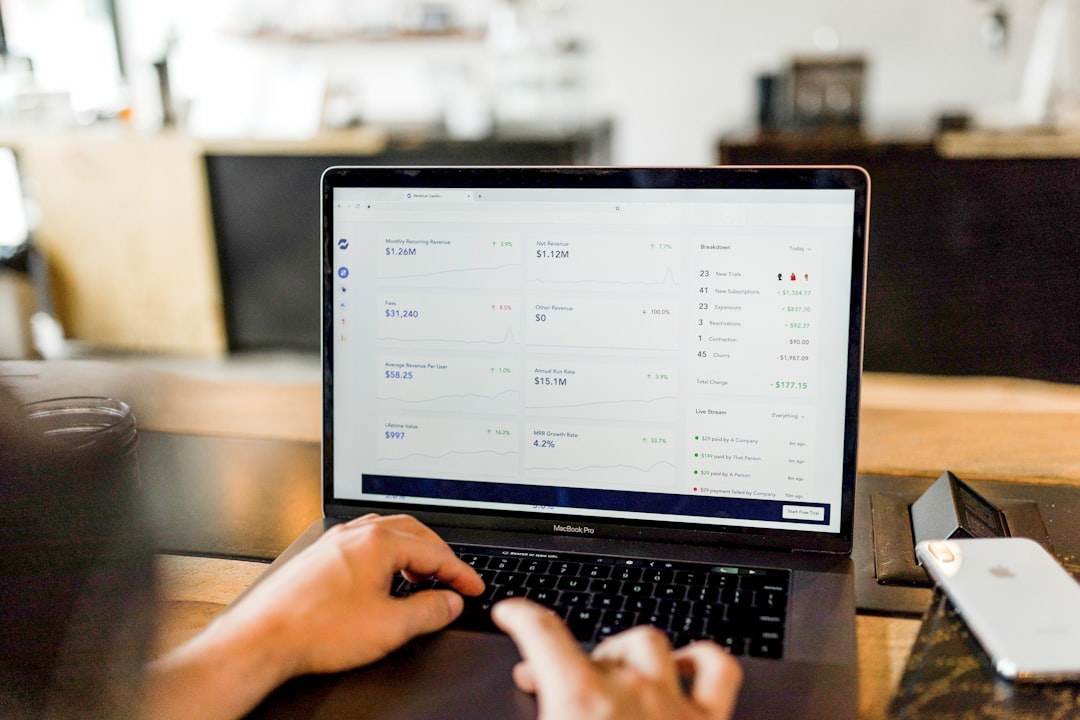
Traffic data answers three practical questions that guide day-to-day marketing decisions:
Traffic should rarely be read alone. Pair it with at least:
For teams using Sona or similar platforms, traffic becomes more actionable when it can be tied to accounts and pipeline stages. A surge in visits to pricing from target accounts can justify immediate sales outreach and more aggressive remarketing, even before a form fill happens. To align traffic insights with revenue impact, read Sona’s blog post titled Measuring Marketing’s Influence on the Sales Pipeline.
Improving traffic means increasing qualified visits while protecting attribution quality. Focus on three levers that move the needle without creating misleading reporting.
GA4 reports traffic natively through acquisition, engagement, and pages reports. The most commonly used areas are:
For a consistent cadence:
Sona is typically used alongside GA4 when you need a unified view that connects traffic to the rest of your revenue stack, such as CRM accounts, intent signals, and ad audiences. That is especially helpful when anonymous traffic hides real buying activity, and your team needs to prioritize follow-up based on which companies are engaging with high-value pages. If you want to connect GA4 traffic to pipeline actions, book a demo.
Understanding and consistently tracking traffic in Google Analytics is essential for marketing analysts, growth marketers, CMOs, and data teams aiming to make data-driven decisions that elevate their campaigns. Mastering this metric empowers you to accurately measure performance, optimize campaigns in real time, and allocate budgets where they deliver the highest impact. Imagine having crystal-clear visibility into which channels generate the most valuable traffic and seamlessly shifting resources to maximize ROI without delay.
Sona.com enables you to unlock these benefits through intelligent attribution, automated reporting, and comprehensive cross-channel analytics—all designed to transform raw traffic data into actionable insights. With Sona.com, you gain the power to optimize every campaign touchpoint and drive measurable growth with confidence.
Start your free trial with Sona.com today and turn your understanding of traffic into a strategic advantage that accelerates your marketing success.
Traffic in Google Analytics refers to visitors on your site or app and details about how they arrived, including channel, source, medium, and campaign.
Google Analytics tracks traffic by measuring user and session activity and breaking down visits by acquisition dimensions like source, medium, and campaign.
Google Analytics shows traffic types by channels such as organic search, paid search, paid social, organic social, email, referral, and direct traffic.
You can find traffic acquisition reports in GA4 under Reports → Acquisition → Traffic acquisition for session-based channel and campaign performance.
Analyze traffic by reviewing channel mix, engaged session rates, and key event conversions to identify high-performing sources and optimize budget allocation.
Traffic Growth Rate (%) = (Current Period Sessions − Previous Period Sessions) ÷ Previous Period Sessions × 100, showing the percentage change in sessions between periods.
Traffic data guides budget decisions, tests positioning and distribution, and reveals attribution issues that can affect conversion and ROI analysis.
Improve traffic by tightening campaign tagging, growing high-intent landing page visits, and segmenting high-value traffic for remarketing and targeted messaging.
Typical session shares vary by channel, for example, organic search 25%-55%, paid search 10%-35%, with engaged session rates indicating traffic quality.
Review traffic daily for anomalies, weekly for channel and campaign trends, and monthly for budget decisions using traffic, conversions, and revenue data.
"Really, really impressed with how we're able to get this amazing data ...and action it based upon what that person did is just really incredible."
"The Sona Revenue Growth Platform has been instrumental in the growth of Collective. The dashboard is our source of truth for CAC and is a key tool in helping us plan our marketing strategy."
"The Sona Revenue Growth Platform has been fantastic. With advanced attribution, we’ve been able to better understand our lead source data which has subsequently allowed us to make smarter marketing decisions."
Join results-focused teams combining Sona Platform automation with advanced Google Ads strategies to scale lead generation

Connect your existing CRM
Free Account Enrichment
No setup fees
No commitment required
Free consultation
Get a custom Google Ads roadmap for your business
Join results-focused teams combining Sona Platform automation with advanced Meta Ads strategies to scale lead generation
Connect your existing CRM
Free Account Enrichment
No setup fees
No commitment required
Free consultation
Get a custom Google Ads roadmap for your business
Join results-focused teams combining Sona Platform automation with advanced LinkedIn Ads strategies to scale lead generation
Connect your existing CRM
Free Account Enrichment
No setup fees
No commitment required
Free consultation
Get a custom Google Ads roadmap for your business
Join results-focused teams using Sona Platform automation to activate unified sales and marketing data, maximize ROI on marketing investments, and drive measurable growth
Connect your existing CRM
Free Account Enrichment
No setup fees
No commitment required
Free consultation
Get a custom Google Ads roadmap for your business
Over 500+ auto detailing businesses trust our platform to grow their revenue
Join results-focused teams using Sona Platform automation to activate unified sales and marketing data, maximize ROI on marketing investments, and drive measurable growth
Connect your existing CRM
Free Account Enrichment
No setup fees
No commitment required
Free consultation
Get a custom Google Ads roadmap for your business
Over 500+ auto detailing businesses trust our platform to grow their revenue
Join results-focused teams using Sona Platform automation to activate unified sales and marketing data, maximize ROI on marketing investments, and drive measurable growth
Connect your existing CRM
Free Account Enrichment
No setup fees
No commitment required
Free consultation
Get a custom Google Ads roadmap for your business
Over 500+ auto detailing businesses trust our platform to grow their revenue
Our team of experts can implement your Google Ads campaigns, then show you how Sona helps you manage exceptional campaign performance and sales.
Schedule your FREE 15-minute strategy sessionOur team of experts can implement your Meta Ads campaigns, then show you how Sona helps you manage exceptional campaign performance and sales.
Schedule your FREE 15-minute strategy sessionOur team of experts can implement your LinkedIn Ads campaigns, then show you how Sona helps you manage exceptional campaign performance and sales.
Schedule your FREE 15-minute strategy sessionOur team of experts can help improve your demand generation strategy, and can show you how advanced attribution and data activation can help you realize more opportunities and improve sales performance.
Schedule your FREE 30-minute strategy sessionOur team of experts can help improve your demand generation strategy, and can show you how advanced attribution and data activation can help you realize more opportunities and improve sales performance.
Schedule your FREE 30-minute strategy sessionOur team of experts can help improve your demand generation strategy, and can show you how advanced attribution and data activation can help you realize more opportunities and improve sales performance.
Schedule your FREE 30-minute strategy sessionOur team of experts can help improve your demand generation strategy, and can show you how advanced attribution and data activation can help you realize more opportunities and improve sales performance.
Schedule your FREE 30-minute strategy session




By continuing, I confirm that I’ve read and accept the Sona Master Services Agreement, Terms and Conditions and the Privacy Policy.


Launch campaigns that generate qualified leads in 30 days or less.





